
Campaign Creation: The Complete Guide
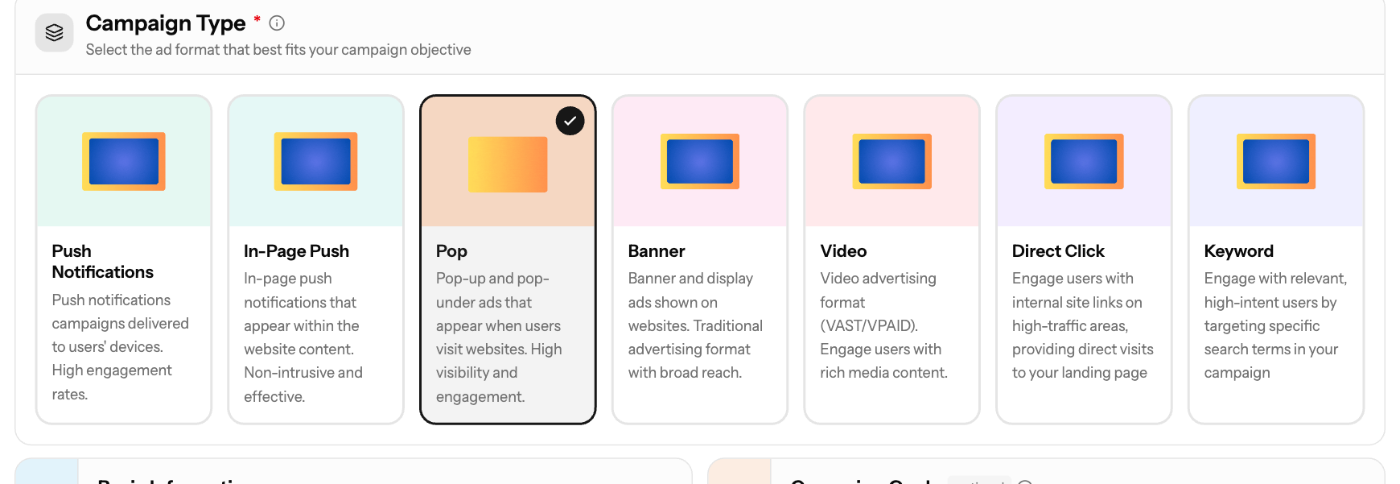
All campaigns are created in the same wizard: sidebar Campaigns → Create Campaign. This page explains the shared steps and links to the guide for each ad format.
Choose an ad format
Format | What it is | Pricing | Minimum bid (T1 / T2 / T3) | Guide |
|---|---|---|---|---|
Push Notifications | Browser notification to subscribed users | CPC | $0.01 / $0.005 / $0.003 | |
In-Page Push | Notification-style ad inside the page | CPC | $0.01 / $0.005 / $0.003 | |
Pop | Pop-up or pop-under that opens your landing page | CPM | $0.50 / $0.30 / $0.20 | |
Banner | Image or HTML display banner | CPM | $0.20 in all tiers | |
Video | VAST/VPAID video ad | CPM | $1.00 / $0.50 / $0.30 | |
Direct Click | Text link in site content that sends users to your page | CPC | $0.01 in all tiers | |
Keyword | 3-line text ad triggered by search terms | CPC | $0.10 in all tiers |
CPC means you pay per click. CPM means you pay per 1,000 impressions. You can't change the format after the campaign is created.
Wizard steps
- Basic Info: pick the Campaign Type, enter a Campaign Name (3–200 characters) and an Ad Vertical, and add up to 5 Creatives. Description, Schedule and Campaign Goals are optional. Pop, Direct Click and Keyword creatives need only a Destination URL. The other formats also need media.
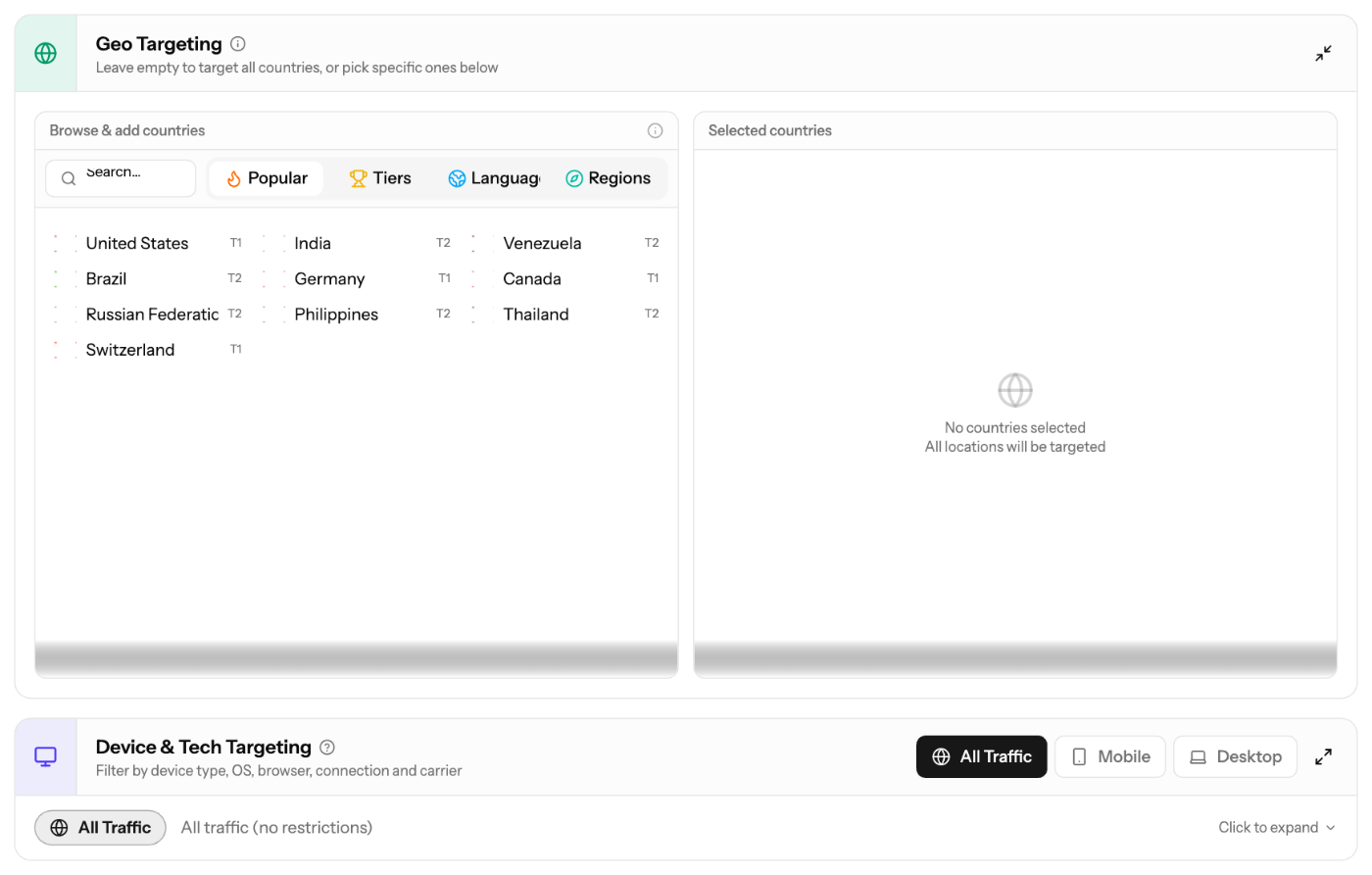
- Targeting: everything is optional. Leave a section empty to run broadly.
- Keywords: Keyword campaigns only.
- Budget & Launch: set the Bid, Total Budget (at least $50 or No limit), Daily Cap (at least $10), Budget Type (ASAP or Evenly) and Frequency Cap (1–100). Then check the review and click Create Campaign.
The wizard saves your progress automatically. Open Drafts to go back to a saved draft.
Targeting options
- Geo Targeting: countries and regions. Browse by Popular, Tiers, Languages or Regions. Leave it empty to target worldwide. City and zip-code targeting are not available.
- Device & Tech Targeting: presets (All Traffic, Mobile, Mobile App, Desktop) or custom device types, operating systems, browsers, connection type and carriers.
- Traffic Type (websites, apps or both): Banner and Video only.
- Ad Schedule: days and hours on a weekly grid in UTC. The default is 24/7.
- IP & Domain Lists: whitelist or blacklist IP ranges and referrer domains.
Country tiers and minimum bids
Countries are grouped into Tier 1 (premium markets), Tier 2 and Tier 3. If you target countries from several tiers, the minimum of the highest tier applies.
Screenshots
Further reading on the EZmob blog
Related articles
- How high or low should I bid?
- How long does it take for campaign approval?
- How to add domain targeting to a campaign?
- How to Track Conversions with EZmob's Postback
- Why is my campaign not receiving traffic?
Updated on: 15/10/2026
Thank you!