
Direct Click Campaign Creation Guide
Direct Click campaigns show text links inside publisher content that send users straight to your landing page. They are billed per click (CPC), with a $0.01 minimum bid in every country tier.
Format at a glance
Pricing model | CPC (you pay per click) |
Minimum bid | $0.01 in all tiers |
Creatives | 1–5 per campaign |
Required per creative | Destination URL only |
Steps
- In the sidebar, click Campaigns, then Create Campaign.
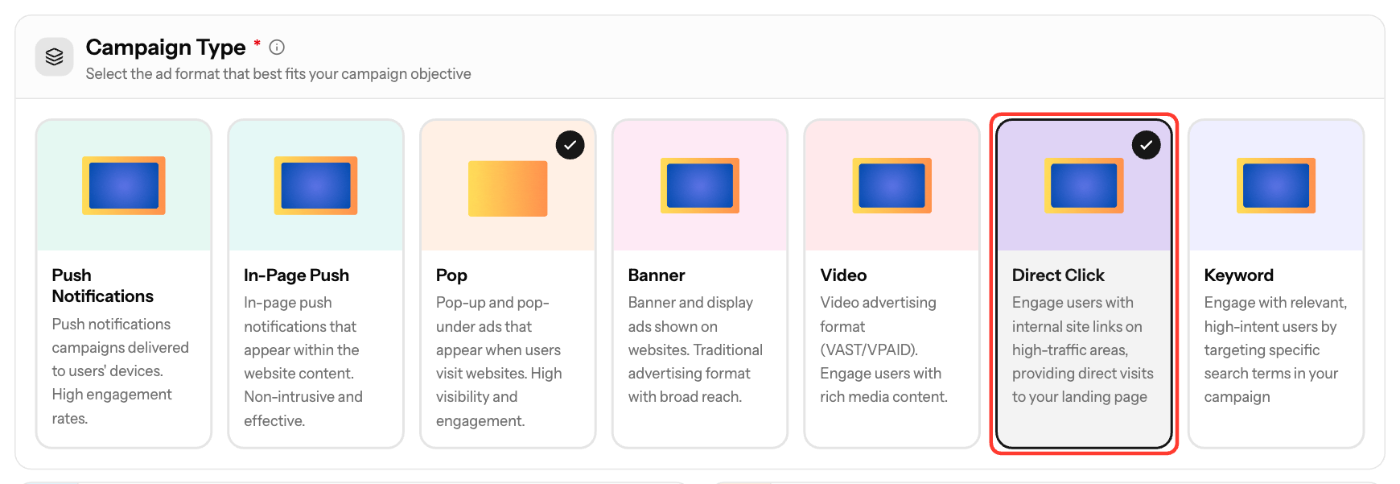
- In Basic Info, select Direct Click under Campaign Type. You can't change the type after the campaign is created.
- Enter a Campaign Name (3–200 characters) and select an Ad Vertical. Description, Schedule and Campaign Goals are optional.
- Under Creatives, enter the Destination URL of your landing page. Click Add creative to add more URLs, up to 5.
- Click Next. In Targeting, choose countries, devices, schedule and lists, or leave them empty to run broadly.
- Click Next. In Budget & Launch, set your Bid and limits (see below).
- Check the review summary and click Create Campaign.
Creative requirements
There is nothing to design. The ad text is generated for you, and you only provide the landing page.
Field | Required | Spec |
|---|---|---|
Destination URL | Yes | Must start with http:// or https://; tracking macros allowed |
Budget & Launch settings
Field | Rule |
|---|---|
Bid | At or above the tier minimum. The wizard suggests Min, Avg and Rec bids |
Total Budget | Optional. At least $50, or No limit |
Daily Cap | Optional. At least $10; resets at midnight UTC |
Budget Type | ASAP or Evenly |
Frequency Cap | Optional. 1–100 impressions per unique IP in 24 hours |
New creatives are reviewed before they serve traffic.
Screenshots

Further reading on the EZmob blog
Related articles
- Campaign Creation: The Complete Guide
- Keyword Campaign Creation Guide
- How high or low should I bid?
- How to blacklist/whitelist SubIDs?
- How to Track Conversions with EZmob's Postback
Updated on: 15/10/2026
Thank you!