
Payment methods for publishers
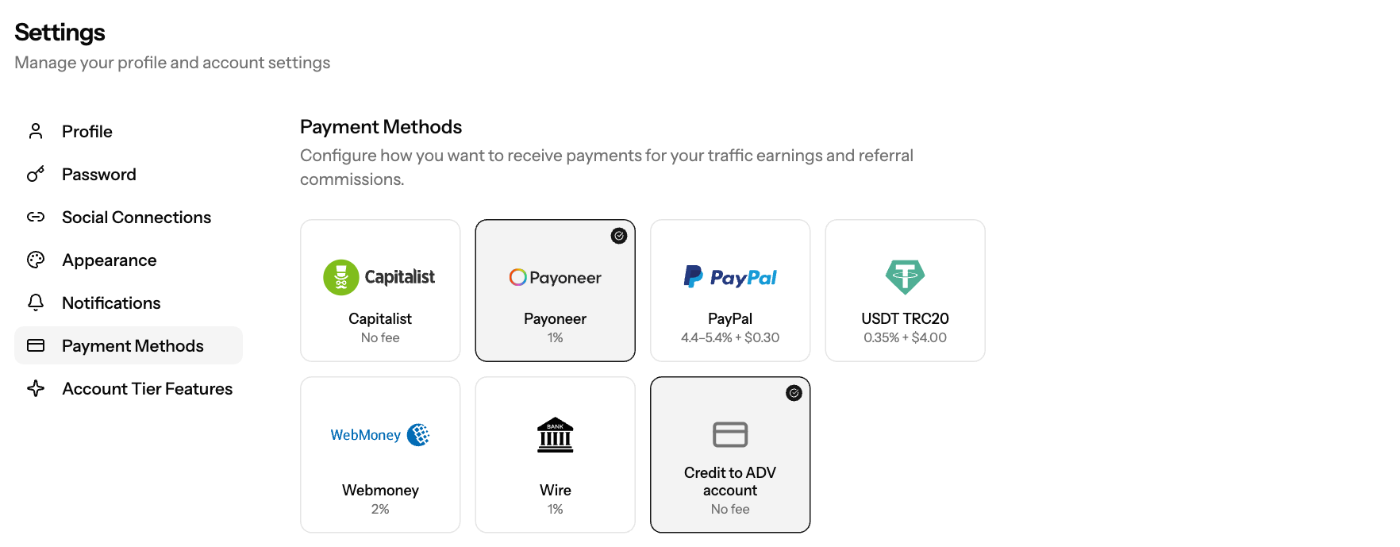
EZmob pays publisher earnings and referral commissions through seven payout methods. Add at least one under Settings → Payment Methods before you request a payment.
Available methods and fees
Method | Fee |
|---|---|
Capitalist | No fee |
Payoneer | 1% |
PayPal | 4.4–5.4% + $0.30 |
USDT (TRC20) | 0.35% + $4.00 |
WebMoney | 2% |
Wire transfer | 1% |
Credit to ADV account | No fee |
The fee is deducted from the payout. For wire transfers, intermediary banks and your own bank may charge extra fees that EZmob does not control. USDT is paid on the TRC20 network only.
Add a payment method
- Click your profile at the top right and select Settings.
- Open Payment Methods.
- Click the card for the method you want.
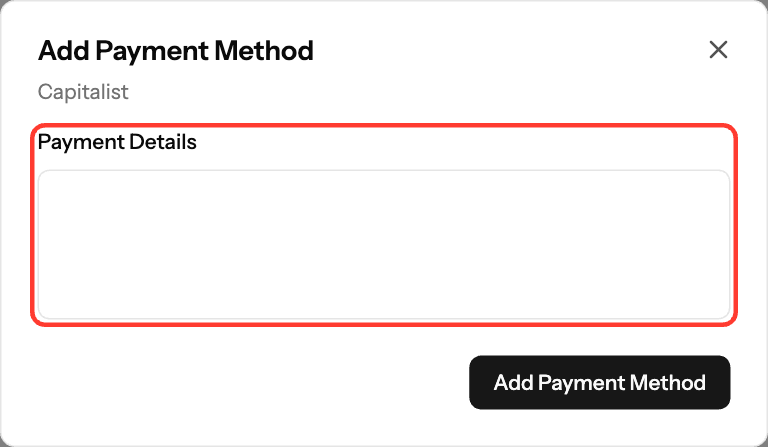
- In Payment Details, enter where the money should go: your email (PayPal, Payoneer), wallet address (USDT, WebMoney, Capitalist) or bank details (Wire).
- Click Add Payment Method. The card now shows a check mark.
For wire transfers, include the account holder name, bank name and address, IBAN or account number, and SWIFT/BIC code.
Edit or delete a payment method
- Go to Settings → Payment Methods and click the card of a saved method.
- Update Payment Details and click Update Payment Method, or click Delete to remove it.
You can save each method once. When you request a payment, you choose which saved method to use.
Screenshots
Related articles
- How to upload an invoice for payment?
- Getting Started: Setting Up Your Publisher Account on EZmob
- Frequently Asked Questions (Publishers FAQ)
Updated on: 01/10/2026
Thank you!