
Optimization Guide for Advertisers
Optimizing a campaign means paying more for traffic that converts and cutting traffic that doesn't. Set up tracking before launch, then use reports, bid adjustments and SubID lists.
Before you launch
- Set up conversion tracking so conversions show in your reports. See How to Track Conversions with EZmob's Postback.
- Add macros such as
{subid}to your landing page URL to pass EZmob data to your own tracker. See Tracking Tokens and Parameters Explained. - Keep one country and OS group per campaign when their performance may differ. It keeps reports easy to read.
- Give the campaign a clear name (format, country, OS).
- Set a Daily Cap that fits your bid and targeting.
Check your win rate
Win Rate is in Metrics → Reports and in the Campaigns list. For Pop and Direct Click it is clicks divided by ad responses; for other formats it is impressions divided by ad responses.
- Low win rate: your bid is not competitive. Raise it toward Rec.
- High win rate while you hit your daily cap: try a lower bid.
Adjust bids per segment
In Edit Campaign → Targeting, you can set a bid adjustment per country, OS and browser (100% = your base bid). Raise it where you convert, lower it where you don't, instead of changing the base bid for everything.
Block or whitelist SubIDs
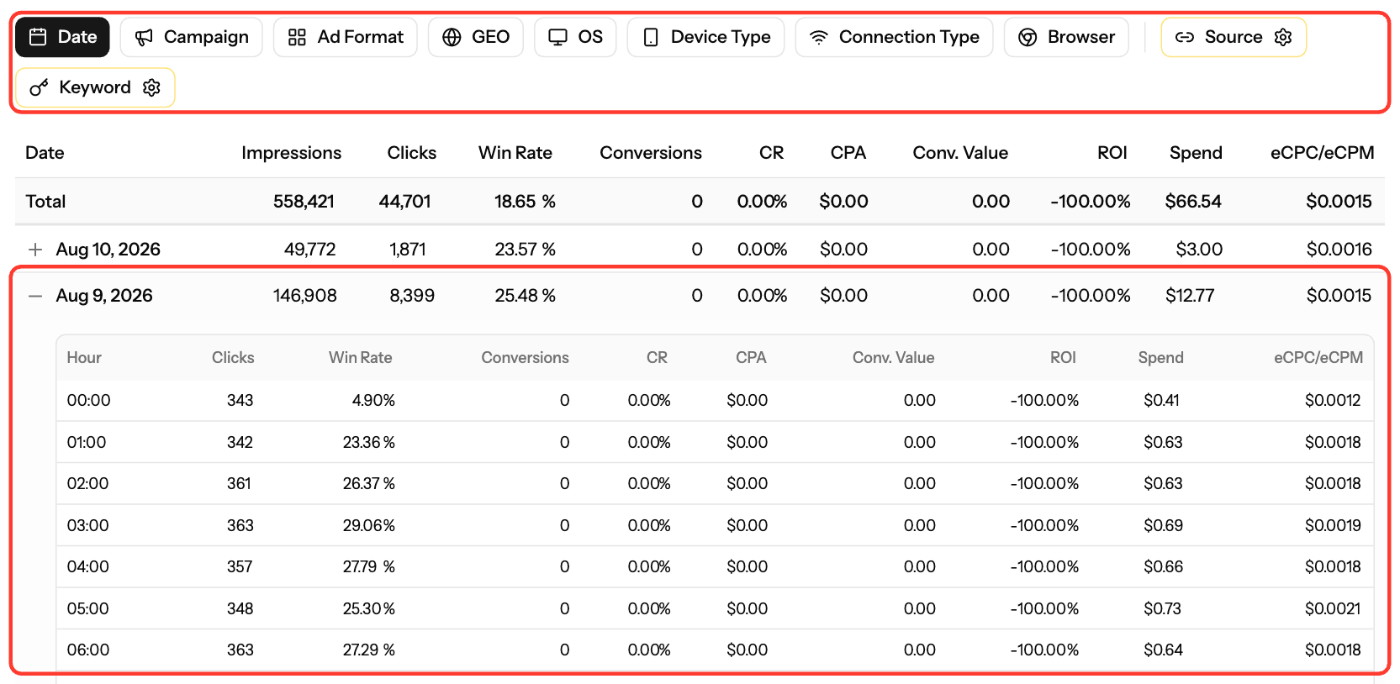
- In Metrics, set Report by to Source to see performance per SubID.
- Give each SubID enough data before you judge it. A common rule is 1,000–5,000 clicks.
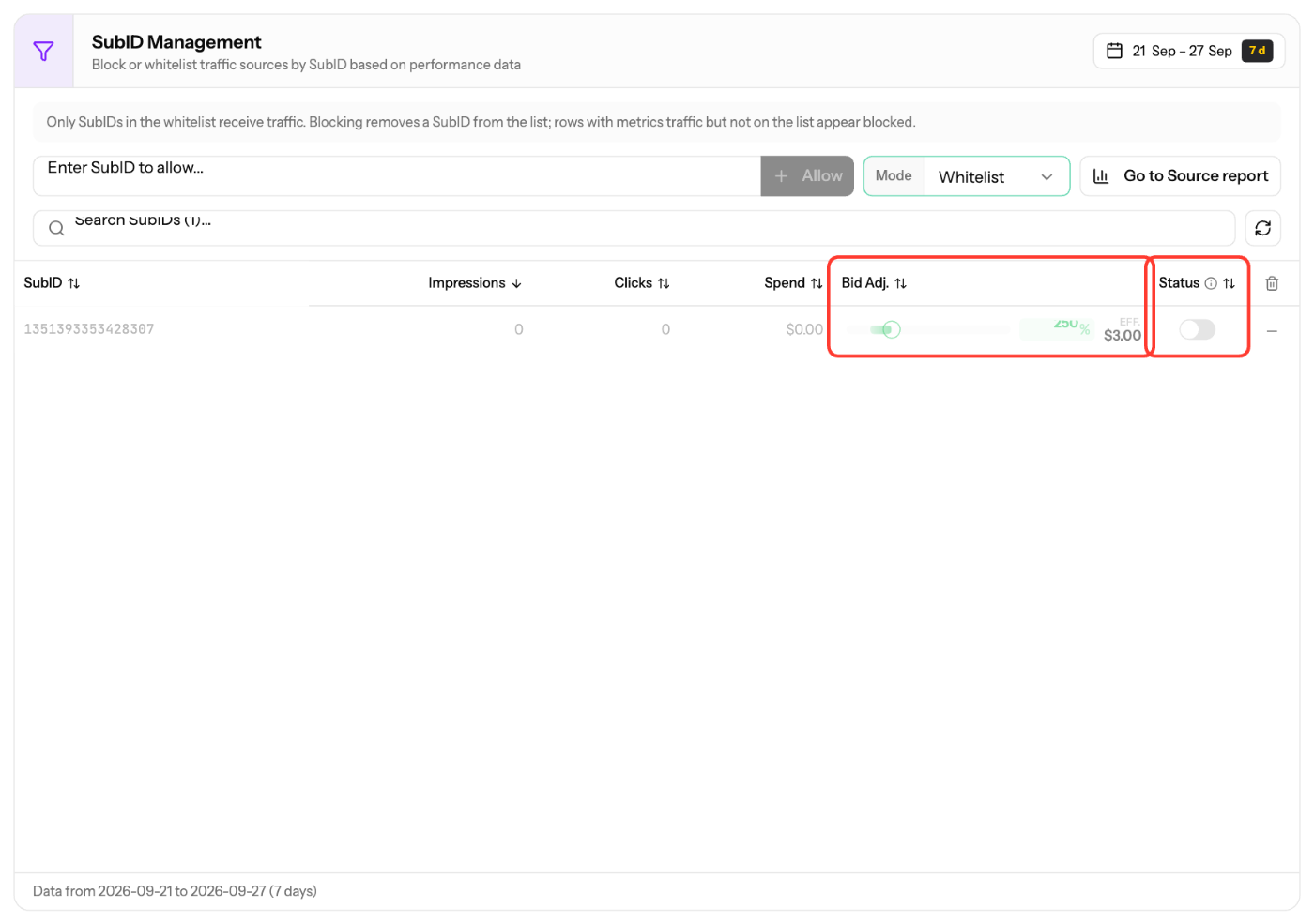
- In Edit Campaign → SubID, block poor SubIDs or lower their Bid Adj.
- To scale winners, Duplicate Campaign, clear the copied SubID list, set Mode to Whitelist, add your best SubIDs and use a higher bid.
Schedule
Use Metrics → Reports by Date and your tracker's hourly data to find the best hours, then limit delivery in Ad Schedule in the Targeting step.
Screenshots
Related articles
- How to blacklist/whitelist SubIDs?
- How high or low should I bid?
- Advertiser Reports Guide
- How to add domain targeting to a campaign?
Updated on: 01/10/2026
Thank you!