
Reporting API
The Reporting API lets you pull your EZmob advertiser report data into your own database or BI tool. Access is enabled on request: contact your account manager or support@ezmob.com.
Get access
- Email your account manager or support@ezmob.com and ask for Reporting API access.
- Ask for the API documentation at the same time. You need an active API token before you can make requests.
- Keep your token private. It gives access to your account's data.
Common dimensions
- Time:
date,hourOfDay,dayOfWeek,month - Campaign:
campaign,offer,banner,goal - Traffic:
pubsubid(SubID),source_pubsubid(source SubID) - Keywords:
keyword2(matched keyword),match_type - Geo and device:
country,state,os_type,browser_type,browser_version,device_type,device_brand
Common metrics
adv_impressions,adv_clicks,adv_cost,adv_win_rateadv_conversions,adv_conv_rate,adv_cpa,adv_cpc,adv_ctr
Good to know
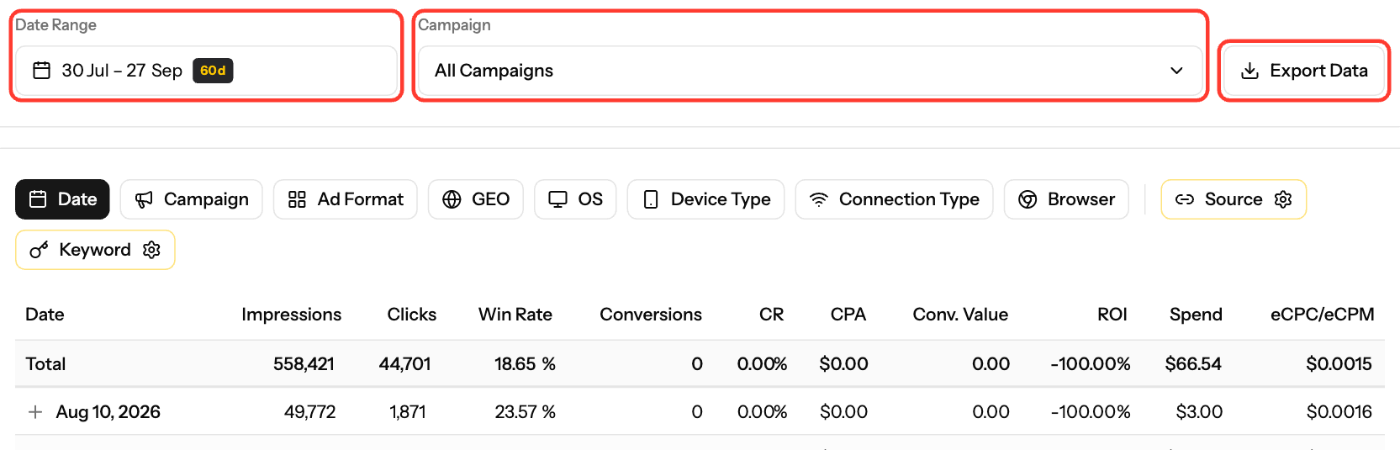
- For a one-off download, use Export Data on the Metrics page instead.
Screenshots
Related articles
- Advertiser Reports Guide
- Optimization Guide for Advertisers
- How to Track Conversions with EZmob's Postback
Updated on: 01/10/2026
Thank you!