
Tracking Integrations Platforms
EZmob works with any tracker that accepts a postback URL. Integrated trackers have a ready-made postback template on the Conversion Tracking page, and featured trackers are listed under Partners.
Use a tracker's postback template
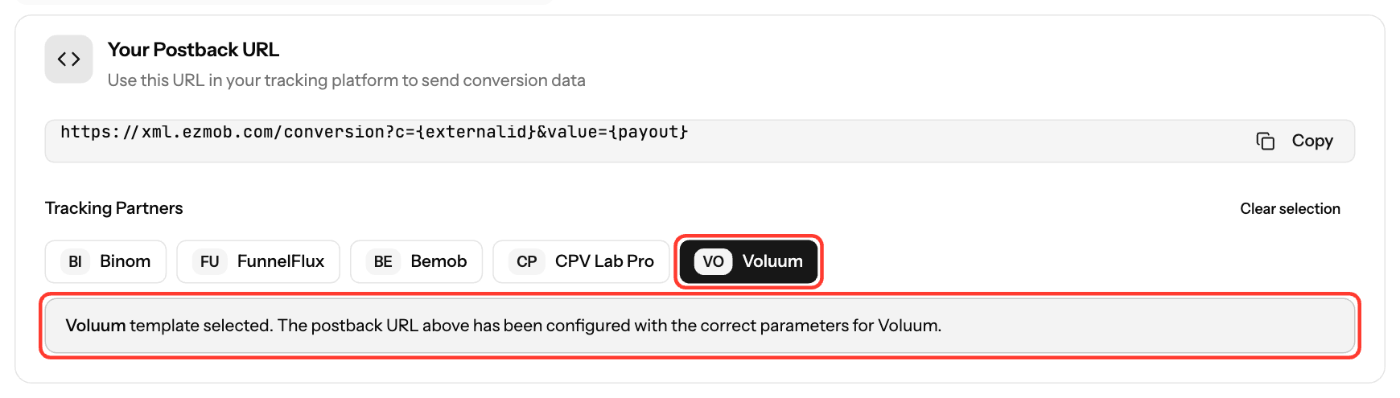
- In the sidebar, click Postbacks and stay on the Postback URL tab.
- Under Tracking Partners, click your tracker. Your Postback URL updates with that tracker's parameters.
- Click Copy and paste the URL into your tracker's postback or traffic source settings.
- If your tracker isn't listed, copy the default URL and map its tokens yourself:
{click_id}to the tracker's external click ID and{value}to its payout.
Set up the campaign link
- In your tracker, add EZmob as a traffic source and create a campaign link.
- Make sure the link passes the EZmob click ID with
{conversion}, in the parameter your tracker uses for the external ID. - Paste the link into the EZmob campaign's Destination URL.
- Use only EZmob macros in the link. Tracker tokens that aren't in EZmob's list are rejected when you save.
Find a tracker
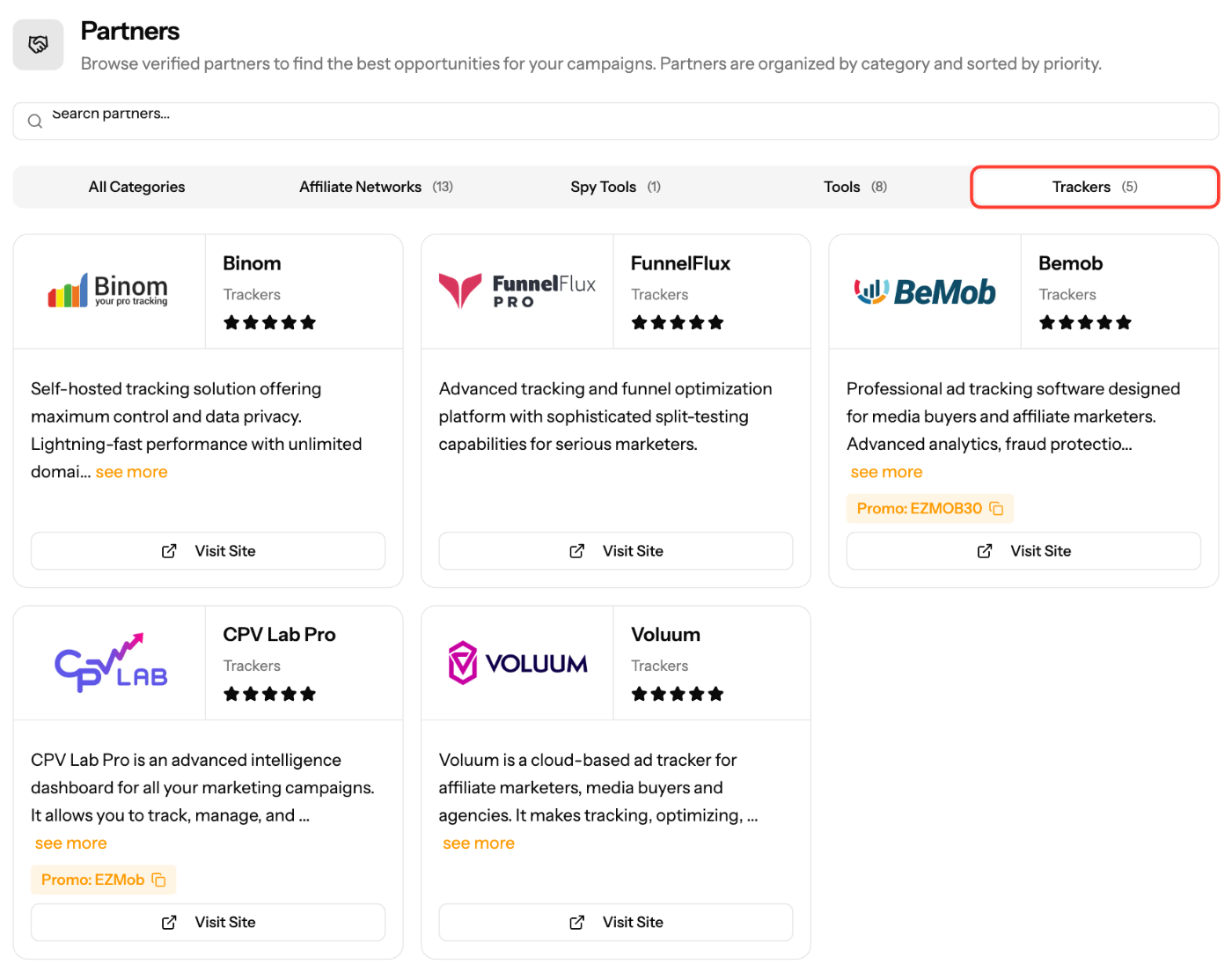
- Click Partners in the sidebar and select the Trackers category to see featured trackers, their details and any promo codes.
When choosing a tracker, compare
- Real-time stats and reporting depth
- Fraud protection
- Automation rules and conversion caps
- Multi-user access and support
Screenshots
Further reading on the EZmob blog
Related articles
- How to Track Conversions with EZmob's Postback
- Tracking Tokens and Parameters Explained
- How to setup conversion tracking with AppsFlyer
- Troubleshooting Conversion Tracking Issues
Updated on: 15/10/2026
Thank you!