
Which ad formats can publishers monetize with?
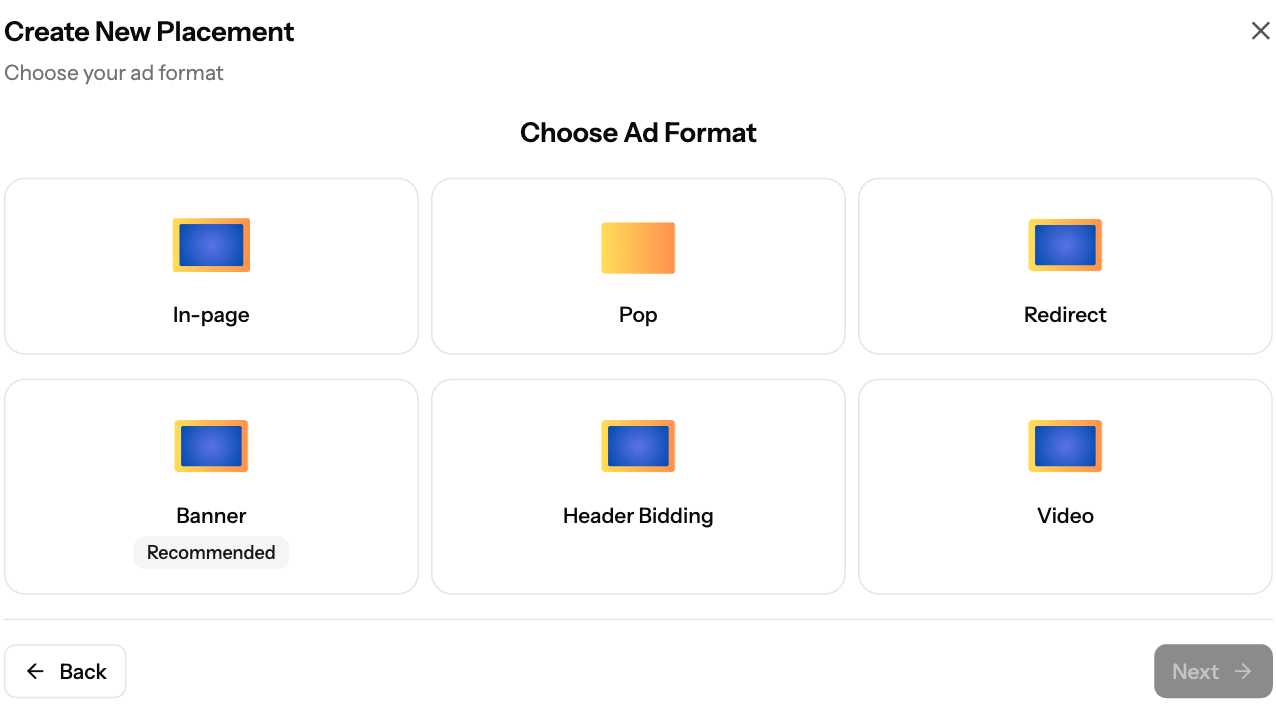
In Sites & Placements → Add Placement you can create six ad formats yourself: Banner (marked Recommended), Header Bidding, In-page, Pop, Redirect and Video. Search and Interstitials are not in this list. Set your site as Mainstream or Adult so the right demand runs on it.
Formats
Format | What it is | Setup |
|---|---|---|
Banner | Display ad in a fixed size, e.g. 300x250, 728x90 or 320x50 | |
Header Bidding | Banner where several ad exchanges bid in real time for each impression | |
In-page | Push-style notification ads shown in a corner of the page (top or bottom) | |
Interstitials | Full-screen overlay ads shown at timed intervals | |
Pop | Pop-up or pop-under that opens on chosen site clicks | |
Redirect | A direct URL instead of a script, for redirecting traffic | |
Search | A search form; searches open related ads in a new window | |
Video | Outstream video ad, fixed size 300x250 |
Good to know
- You can create several placements on one site, in different formats and sizes.
- Banner sizes: 300x50, 300x100, 300x250, 320x50, 320x480, 728x90, 160x600, 120x600, 468x60.
- For other formats or a custom setup, contact support@ezmob.com.
Screenshots
Further reading on the EZmob blog
Related articles
- How to Create a Placement and Obtain Your Ad Tag
- How to check your ad code (with examples)
- Publisher Content Policy Overview
Updated on: 15/10/2026
Thank you!