
Why is my revenue low or zero?
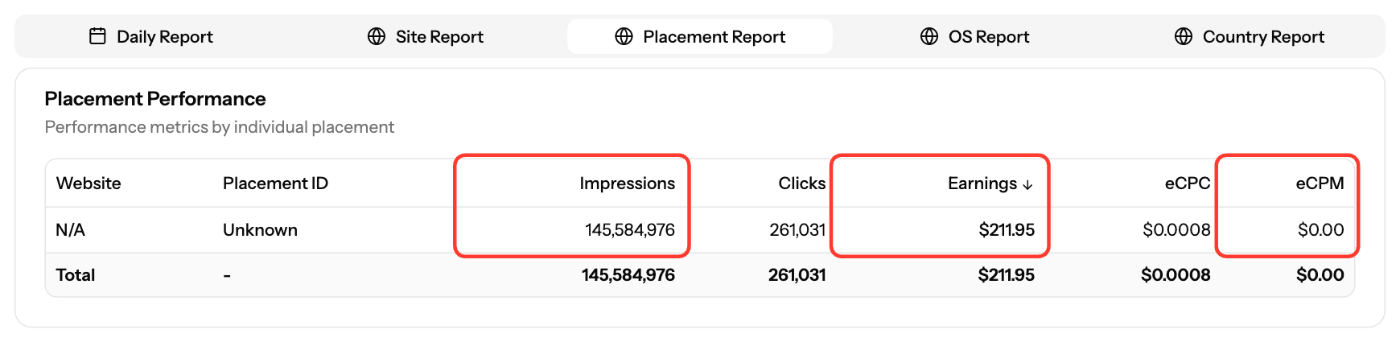
Use Reports to find where your revenue stops: no impressions, impressions that earn little, or a low eCPM. Each one points to a different fix.
Diagnose in Reports
- Open Reports and choose a date range of full days.
- Open the Placement Report or the Site Report and compare the columns:
What you see | Likely cause | What to do |
|---|---|---|
Impressions = 0 | Tag not installed, wrong page, blocked, or placement paused | |
Impressions but low Earnings | Not enough paying demand for this traffic | Check the Country Report and OS Report. Confirm the site's content vertical and content type |
Impressions but low eCPM | Traffic mix, ad position or format | See "Improve revenue" below |
Revenue dropped | Traffic or eCPM fell | Compare the same date ranges and website filter, day by day |
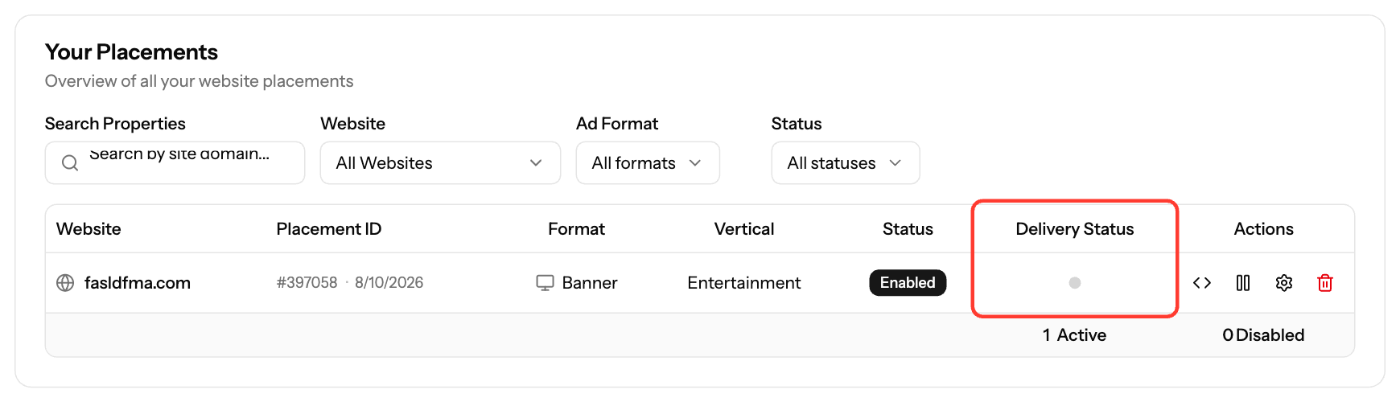
Also check Delivery Status in Sites & Placements. Gray means no activity in the last 24 hours.
Reports use Pacific time. Publisher data re-syncs hourly for the last 2 days, so recent days can still change. Look at several full days before you draw conclusions.
Improve revenue
- Validate your site. Unvalidated sites don't receive premium demand.
- Don't edit the tag. Where a tag includes your site URL (Redirect, Search), it must be your real domain.
- On Banner tags, use the
subidparameter to split traffic sources so you can compare them in Reports. - Place ads where visitors see them without scrolling, and don't overload the page.
- Try other formats, such as Pop, In-page or Interstitials, and compare results by placement.
- Only real visitor traffic earns. Automated or invalid traffic is filtered.
Contact support
If Reports show almost no impressions or earnings for several days although the tag is installed, email support@ezmob.com with the Placement ID, the site and the date range.
Screenshots
Further reading on the EZmob blog
Related articles
- Troubleshooting Ads Not Showing on Your Site
- Understanding Publisher Revenue Reports
- When are publisher reports updated?
- Which ad formats can publishers monetize with?
Updated on: 15/10/2026
Thank you!