
Complete Your Advertiser Profile - Step by Step Guide
Your profile is under Settings → Profile (https://dashboard.ezmob.com/settings/profile). Completing it is a required step in your onboarding checklist, and its details are used if we need to verify a payment method.
Steps
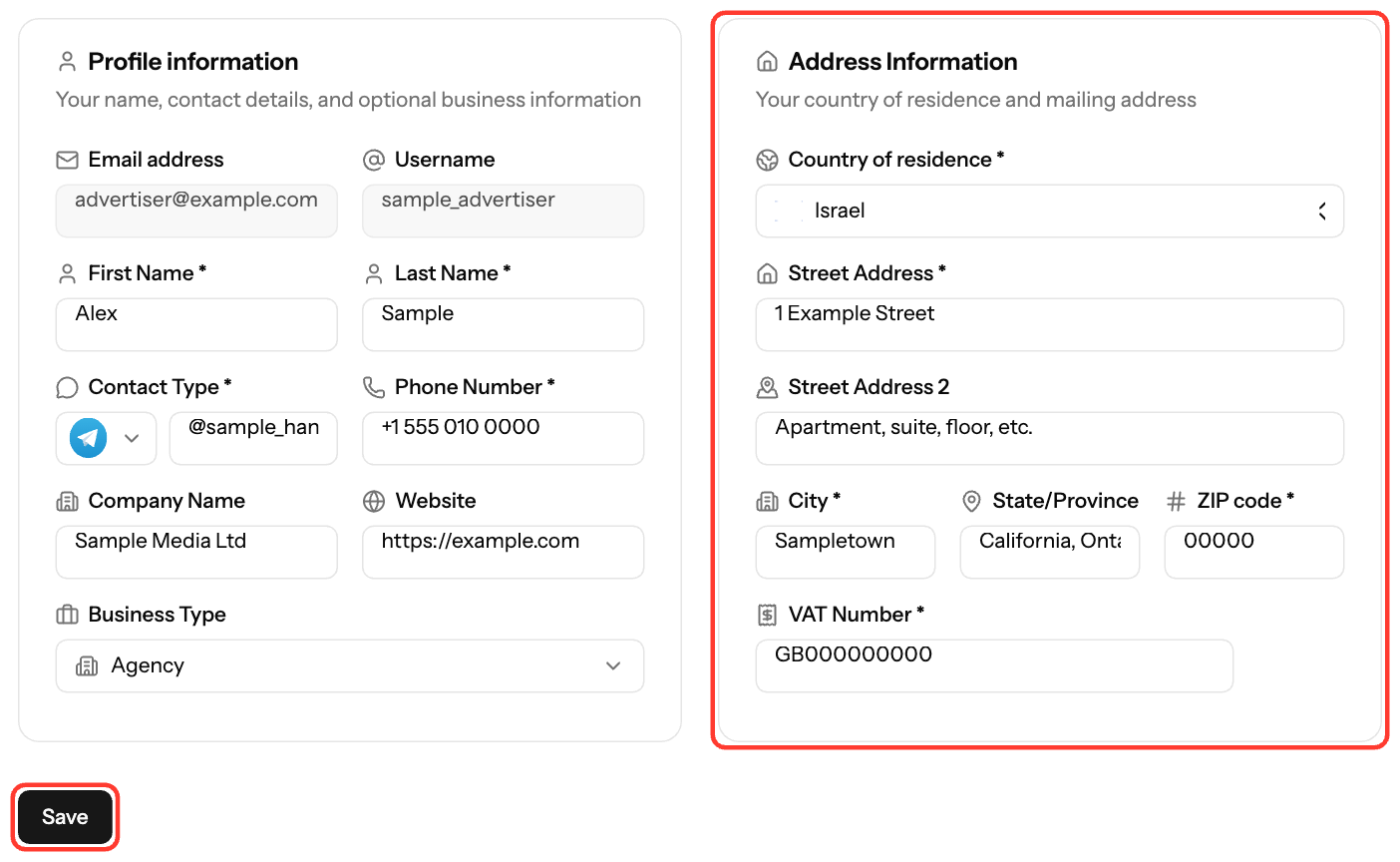
- Click your profile at the top right and select Settings. It opens on Profile.
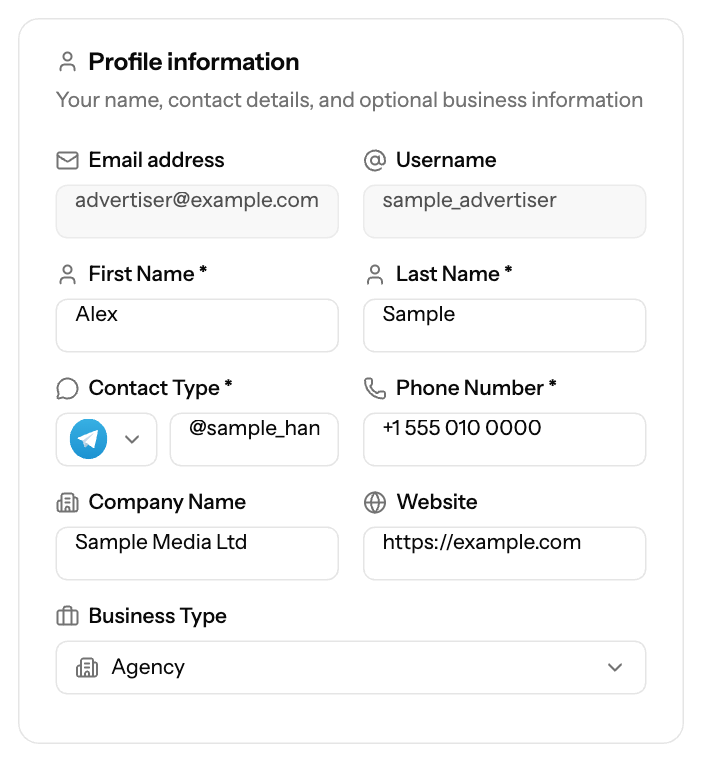
- In Profile information, fill in First Name, Last Name, Contact type (Telegram or Teams) with your handle, and Phone Number. Optionally add Company Name, Website and Business Type.
- In Address Information, select your Country of residence and enter Street Address, City and ZIP code. Street Address 2, State/Province and VAT Number are optional.
- Click Save.
When your profile is complete, you see Profile complete! with a shortcut to Launch your first campaign.
Field rules
- Names and city: letters, spaces, hyphens and apostrophes only.
- Telegram username: at least 5 characters (letters, numbers, underscores).
- VAT Number is required if your country of residence is Israel.
- Email address and Username are shown at the top of the form.
If your email isn't verified yet, the page shows Email verification required. Click Send Verification Email and follow the link.
Screenshots
Related articles
- Understanding Your Onboarding Checklist
- How does payment method verification work?
- How can I fund my account?
- Connecting Social Accounts for Quick Login
Updated on: 27/09/2026
Thank you!