
Account Status and VIP Tier Levels
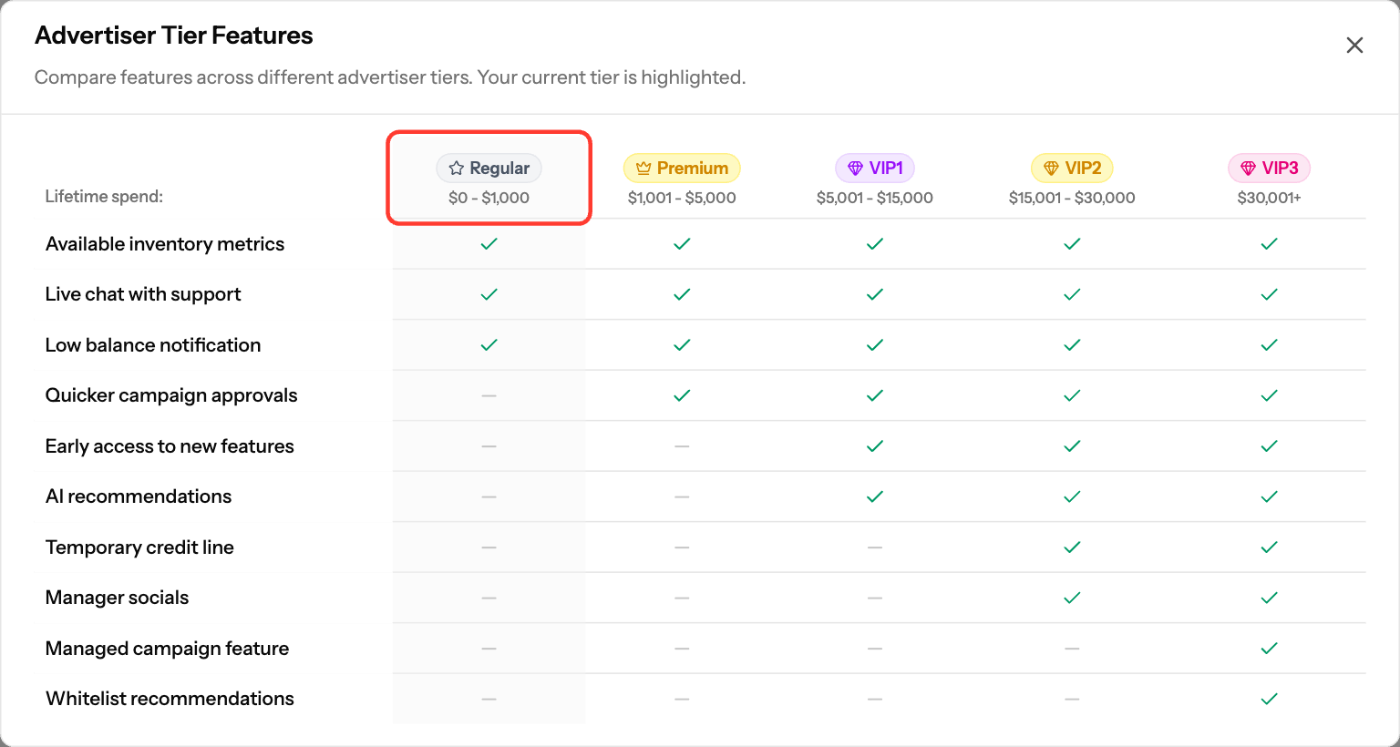
Your advertiser tier is set by your lifetime spend and updates automatically as you spend more. Each tier includes all features of the tiers below it.
Tiers and features
Tier | Lifetime spend | Adds |
|---|---|---|
Regular | $0 – $1,000 | Available inventory metrics, Live chat with support, Low balance notification |
Premium | $1,001 – $5,000 | Quicker campaign approvals |
VIP1 | $5,001 – $15,000 | Auto approval of payments, Early access to new features, AI recommendations |
VIP2 | $15,001 – $30,000 | Temporary credit line, Manager socials |
VIP3 | $30,001+ | Managed campaign feature, Whitelist recommendations |
API access is open to all advertisers, whatever the tier.
Check your tier
- Click your tier badge (Your account tier) in the top bar.
- The Advertiser Tier Features window opens with your current tier highlighted.
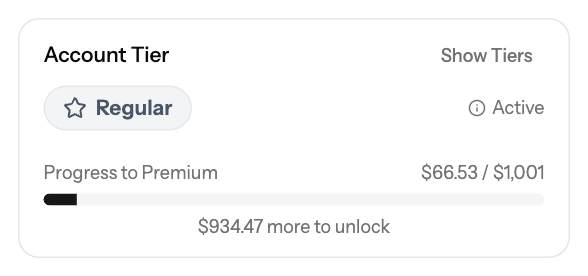
You can also see your Account Tier on the Funds page. Click Show Tiers to compare tiers.
If a feature needs a higher tier, the dashboard shows a note such as "Requires VIP1 account or higher".
Screenshots
Related articles
- How can I fund my account?
- Managed Campaign Services
- Inventory Analysis - Understanding Available Traffic
- Reporting API
Updated on: 26/09/2026
Thank you!