
How to set up Pop (pop-up and pop-under) ads
A Pop placement opens an advertiser page in a new window or tab when a visitor clicks on your site. You create it in Sites & Placements and choose which clicks trigger it and how often the same visitor sees it.
Create a Pop placement
- Open Sites & Placements and click Create New Placement.
- Under Select Website, choose your site and click Next.
- Select Pop and click Next.
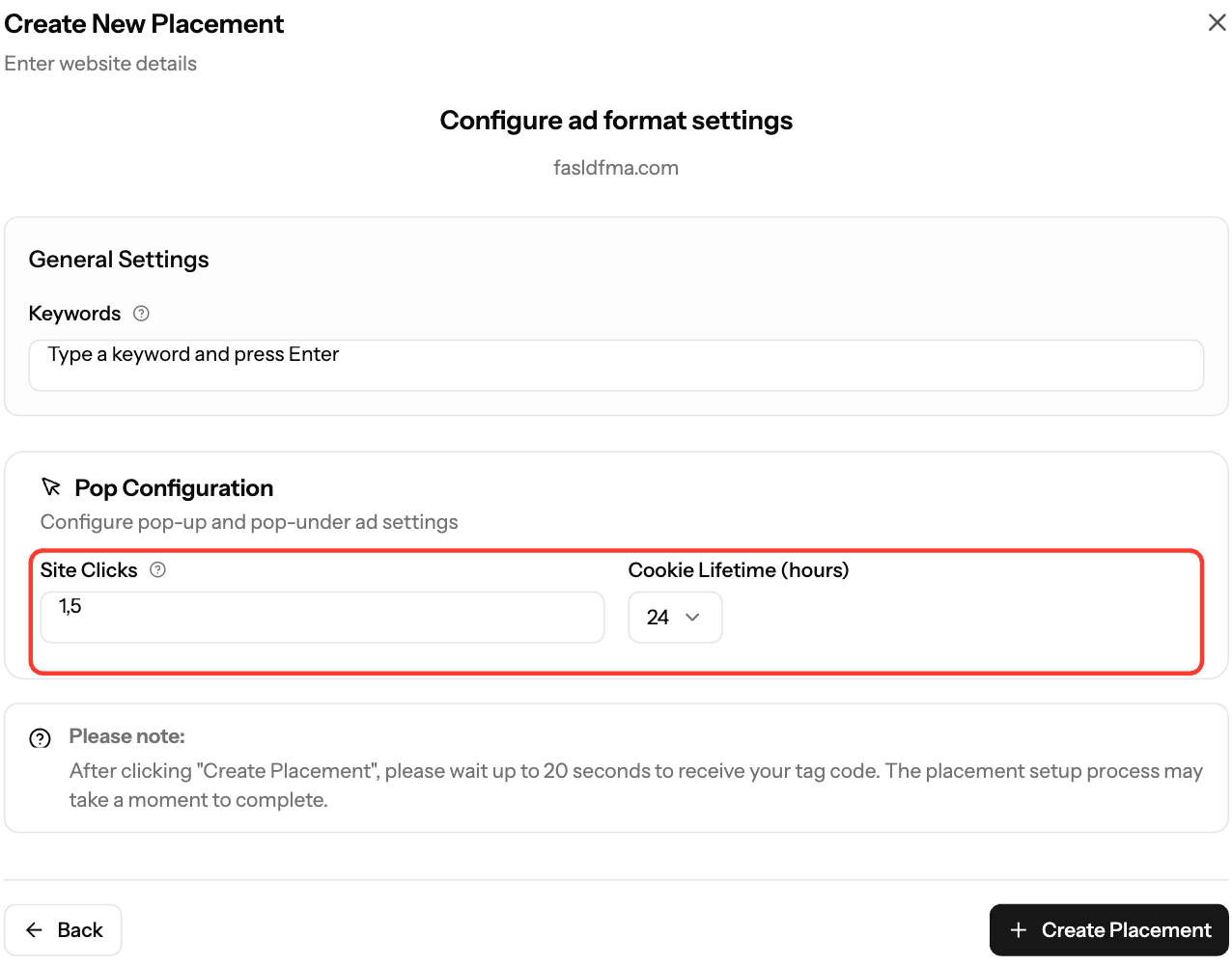
- In Pop Configuration, set:
- Site Clicks: which clicks open the pop. The default
1,5opens it on the 1st and 5th click. - Cookie Lifetime (hours): 1, 6, 12 or 24 (default 24). This controls how often the same visitor gets pops.
- Keywords (optional): up to 10 keywords about your content. Press Enter after each one.
- Site Clicks: which clicks open the pop. The default
- Click Create Placement. Your tag can take up to 20 seconds to appear.
Install the tag
- On the Your Placements tab, click the code icon (View Script) on the placement.
- Under Data Center, choose US East (New York) or EU (Amsterdam), whichever is closer to most of your visitors.
- Click Copy Script.
- Paste the tag in the
<head>section of every page where pops should run.
Your tag looks like this, with your own values filled in:
<script>
window.adk_pdisp = {'h' : 'xml.qualiclicks.com',
  'f' : YOUR_FEED_ID,
  'a' : 'YOUR_AUTH',
  'ps' : [1,5],
  'cin' : 4,
  's' : '',
  'q' : [],
  't' : 24};
</script>
<script src='//static.qualiclicks.com/tabu/display.js'></script>
his the ad server (xml-eu.qualiclicks.comwhen you choose EU).psis Site Clicks,qis Keywords andtis Cookie Lifetime in hours.- Always copy your own tag from the dashboard. Don't use the example above.
Common questions
- Does the tag work on HTTPS sites? Yes. The script loads from a protocol-relative URL (
//static.qualiclicks.com/...), so it works on HTTP and HTTPS. - Can I change the settings later? No. Placement Details shows the settings but you can't edit them there. Create a new Pop placement with the settings you want.
Screenshots
- Screenshot: Placements tab, Pop code view with the Data Center selector and Copy Script
Further reading on the EZmob blog
Related articles
- How to Create a Placement and Obtain Your Ad Tag
- Decrease latency with EU Ad Server Support
- How to check your ad code (with examples)
- Which ad formats can publishers monetize with?
- Troubleshooting Ads Not Showing on Your Site
Updated on: 15/10/2026
Thank you!