
How to set up In-Page (Floating push) ads
In-page (floating push) ads are small, notification-style ads that show on top of your page. Visitors don't need to subscribe to anything. Create the tag yourself in Sites & Placements. You don't need to request it.
Create an In-page placement
- Open Sites & Placements and click Create New Placement.
- Under Select Website, choose your site and click Next.
- Select In-page and click Next.
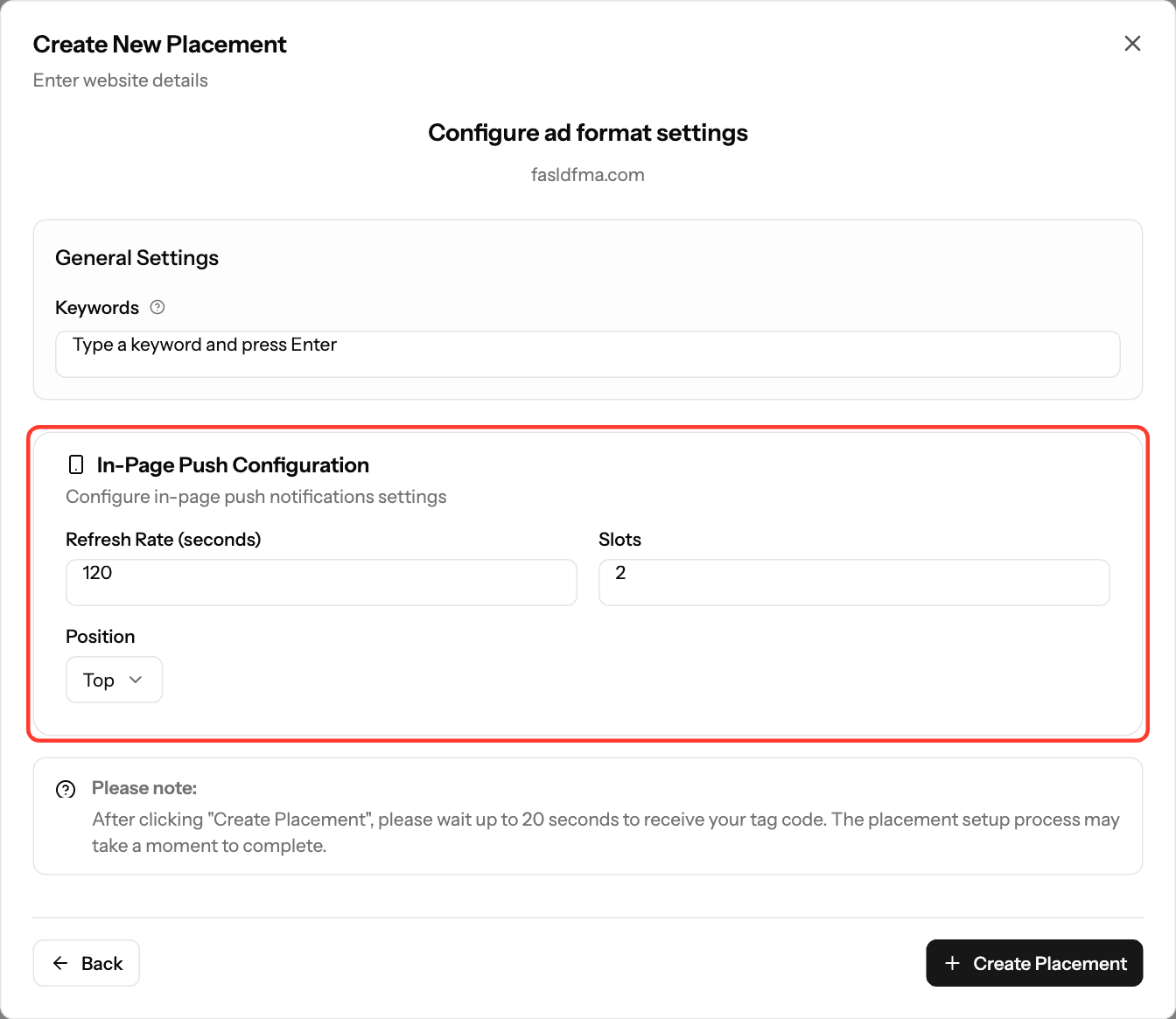
- In In-Page Push Configuration, set the fields below.
- Click Create Placement. Your tag can take up to 20 seconds to appear.
Field | Default | Allowed | What it does |
|---|---|---|---|
Refresh Rate (seconds) | 120 | 1 or more | How often new ads load |
Slots | 2 | 1–10 | How many ads show at once |
Position | Top | Top or Bottom | Where the ads appear on screen |
Keywords | none | up to 10 | Keywords about your content |
Install the tag
- On the Your Placements tab, click the code icon (View Script) on the placement.
- Under Data Center, choose US East (New York) or EU (Amsterdam).
- Click Copy Script.
- Paste the tag just before the closing
</head>tag on every page where the ads should show.
Your tag looks like this, with your own values filled in:
<script>
  (function(i,n,p,a,g,e){
    i.inpagepush = i.inpagepush || function() {
      (i.inpagepush.q=(i.inpagepush.q||[])).push(arguments)
    };
    var s=n.getElementsByTagName('head')[0];
    var q=n.createElement('script'); q.async=1;
    q.src='//static.qualiclicks.com/inpage/inpage.js';
    s.appendChild(q);
    i.inpagepush('init', {
      host: 'xml.qualiclicks.com',
      feed: YOUR_FEED_ID,
      auth : 'YOUR_AUTH',
      subid: '',
      refresh: 120,
      position: 'top',
      slots: 2,
      query : '',
      nodesrc : true
    });
    i.inpagepush('show');
  })(window, document);
</script>
Always copy your own tag from the dashboard. Don't use the example above.
Screenshots
- Screenshot: Placements tab, In-page code view with Copy Script highlighted
Further reading on the EZmob blog
Related articles
- How to add an Ad Tag to section in WordPress
- How to add an ad tag to section in Blogger platform
- Decrease latency with EU Ad Server Support
- Troubleshooting Ads Not Showing on Your Site
Updated on: 15/10/2026
Thank you!