
My credit card payment was declined due to "Do not honor"
"Do not honor" is a generic decline from your card issuer: your bank refused the charge without giving a reason. EZmob cannot see or override it, so the fix is with your bank or with another payment method.
What to do
- Call the number on the back of your card and ask why the charge was declined. Tell the bank you are paying an online advertising platform, and ask them to allow the payment.
- Check that the card is enabled for online and international payments and that the amount is within your card limit.
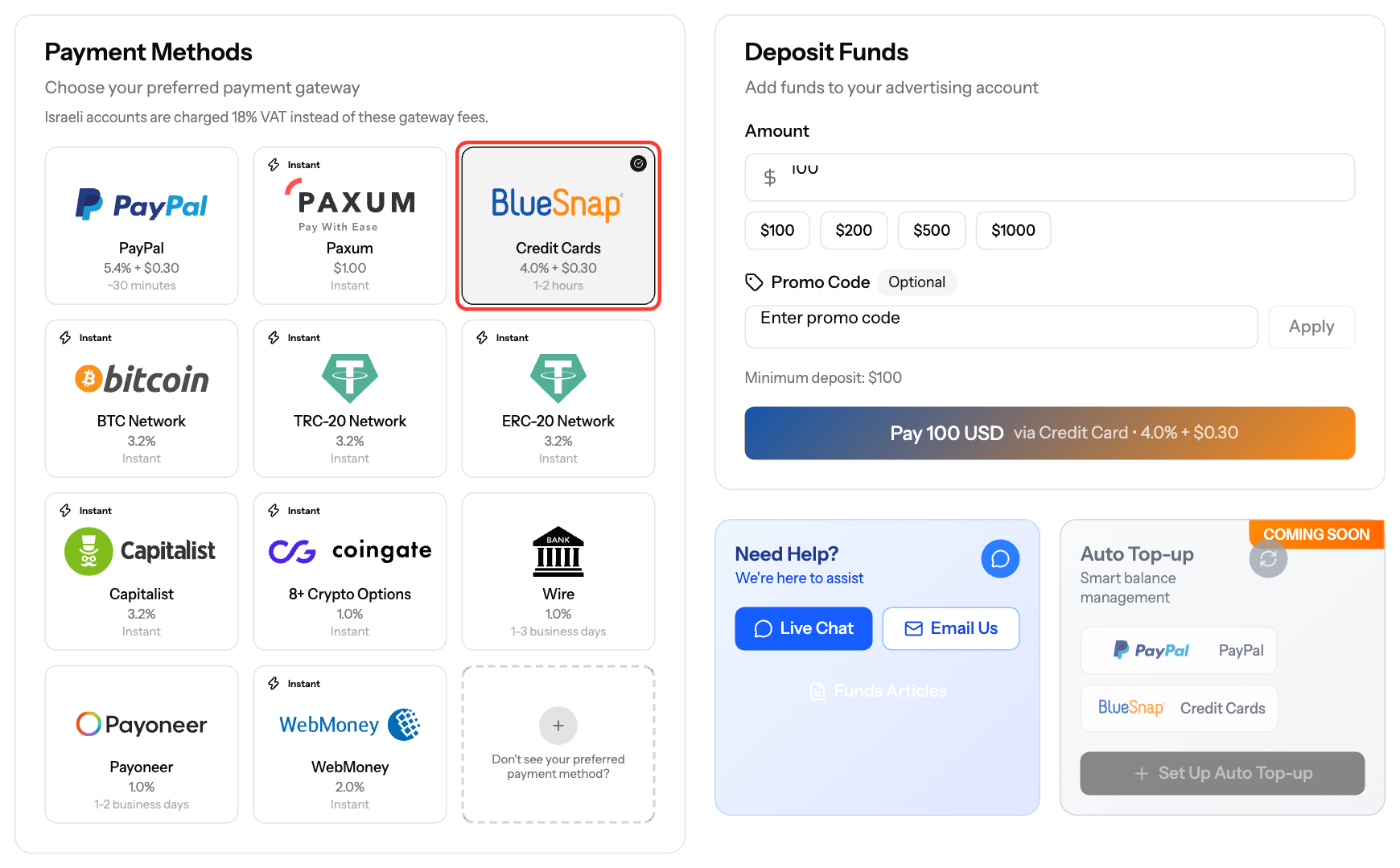
- Go back to Funds and try the deposit again with Credit Card. Complete the 3-D Secure check (the code or approval from your bank app) when it appears.
- If the card is still declined, choose another Payment Method, such as PayPal, crypto or Wire Transfer.
Good to know
- Card deposits that pass 3-D Secure are usually credited automatically.
- The first time you use a new card, we may ask you to verify it under Settings → Verification with your ID and a photo of the card.
- A declined payment does not open a verification request.
- Other common decline reasons are insufficient funds, an expired card or a wrong card detail.
Still stuck? Contact support@ezmob.com and include the date, the amount and the decline message.
Screenshots
Related articles
- How can I fund my account?
- How does payment method verification work?
- Understanding Transaction Status and Processing Times
Updated on: 26/09/2026
Thank you!