
Cryptocurrency Deposits: Bitcoin and USDT Options
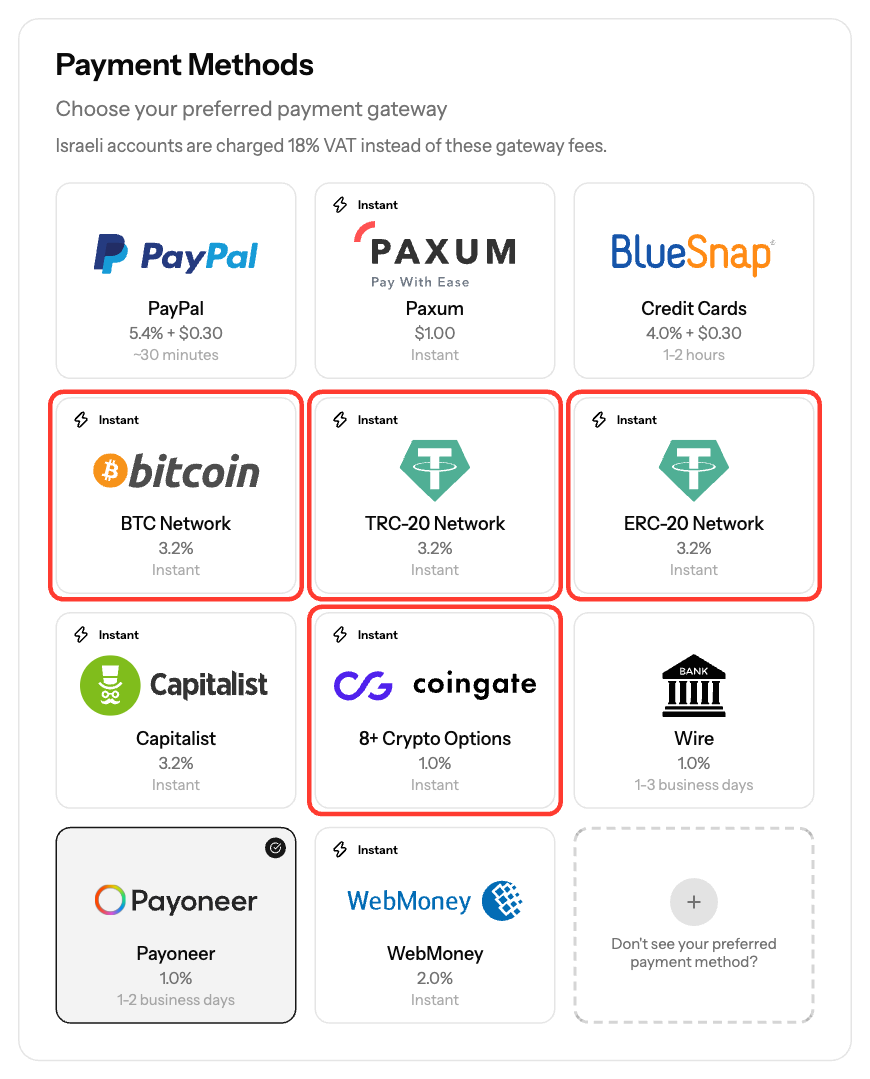
You can fund your account with crypto through Capitalist (Bitcoin, USDT TRC20, USDT ERC20) or CoinGate Crypto (USDC, BTC, ETH, LTC and more). Crypto deposits are credited automatically once the payment is confirmed.
Options
Payment Method | Coins | Fee | Minimum |
|---|---|---|---|
Bitcoin | BTC | 3.2% | $100 |
USDT (TRC20) | USDT on the Tron network | 3.2% | $100 |
USDT (ERC20) | USDT on the Ethereum network | 3.2% | $300 |
CoinGate Crypto | USDC (Ethereum or Polygon), BTC, ETH, LTC and other coins | 1% | $100 |
- USDT is available only through Capitalist. CoinGate does not offer USDT.
- CoinGate Crypto is not available to accounts from Russia or Belarus. Capitalist methods are.
- Blockchain network fees are charged by your wallet on top of the EZmob fee.
Steps
- Click Funds in the sidebar.
- In Deposit Funds, enter the Amount.
- Under Payment Method, select Bitcoin, USDT (TRC20), USDT (ERC20) or CoinGate Crypto.
- Click Pay [amount] USD. You are redirected to the gateway's payment page.
- On CoinGate, choose the coin you want to pay with.
- Send the exact amount shown to the wallet address shown, on the correct network.
- Once the payment is confirmed on the blockchain, the funds are added to your balance automatically.
Avoid delays
- Pay with the coin and network you selected. If you use a different one, approval of your funds may be delayed by more than 7 days.
- Double-check the wallet address. Crypto sent to a wrong address cannot be recovered.
- If the deposit still shows as pending after confirmation, contact support@ezmob.com with the transaction ID (hash).
Screenshots
- Screenshot: the Capitalist payment page, showing the wallet address and amount
Related articles
- How can I fund my account?
- Understanding Transaction Status and Processing Times
- Which countries are open for business @ EZmob
Updated on: 26/09/2026
Thank you!