
Updating my Publisher Profile
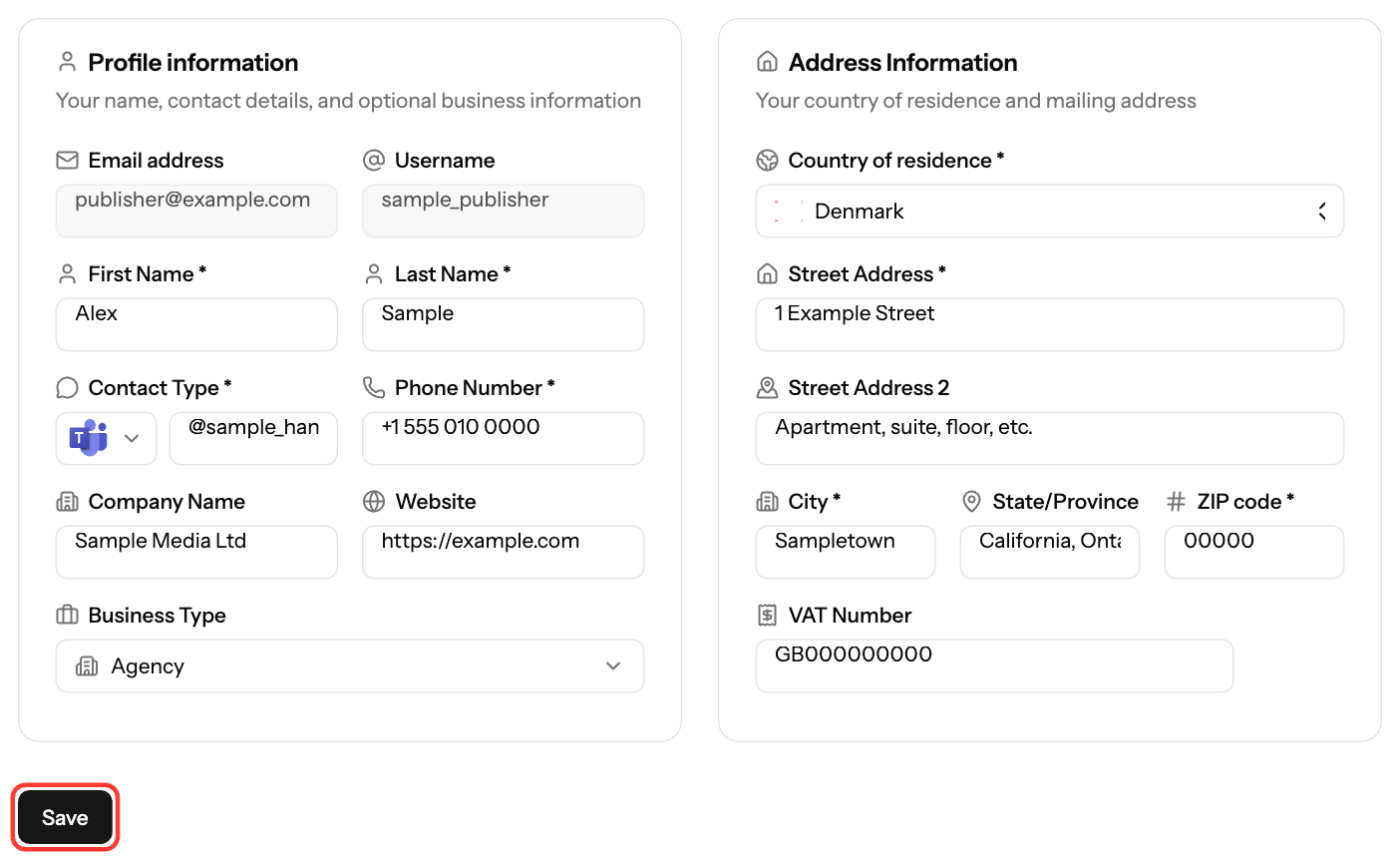
Update your name, contact details and address under Settings → Profile. EZmob uses these details on the invoice it creates for your payouts, so keep them accurate. Payout details are managed separately under Payment Methods.
Steps
- Click your profile at the top right and select Settings.
- Open Profile.
- Update the fields you need (see below).
- Click Save.
Fields
- Required: First Name, Last Name, Phone Number, Contact Type (Telegram or Teams) with your handle, Country of residence, Street Address, City, ZIP code
- Optional: Company Name, Business Type, Website, State/Province, VAT Number. VAT is required for businesses in Israel.
- Read-only: Email address and Username. Contact support@ezmob.com to change them.
Names and city accept Latin letters only.
Payment details
Bank accounts, PayPal, wallets and other payout details aren't part of your profile. Add or edit them under Settings → Payment Methods. See Payment methods for publishers.
Screenshots
Related articles
Updated on: 01/10/2026
Thank you!