
Understanding Publisher Dashboard Widgets
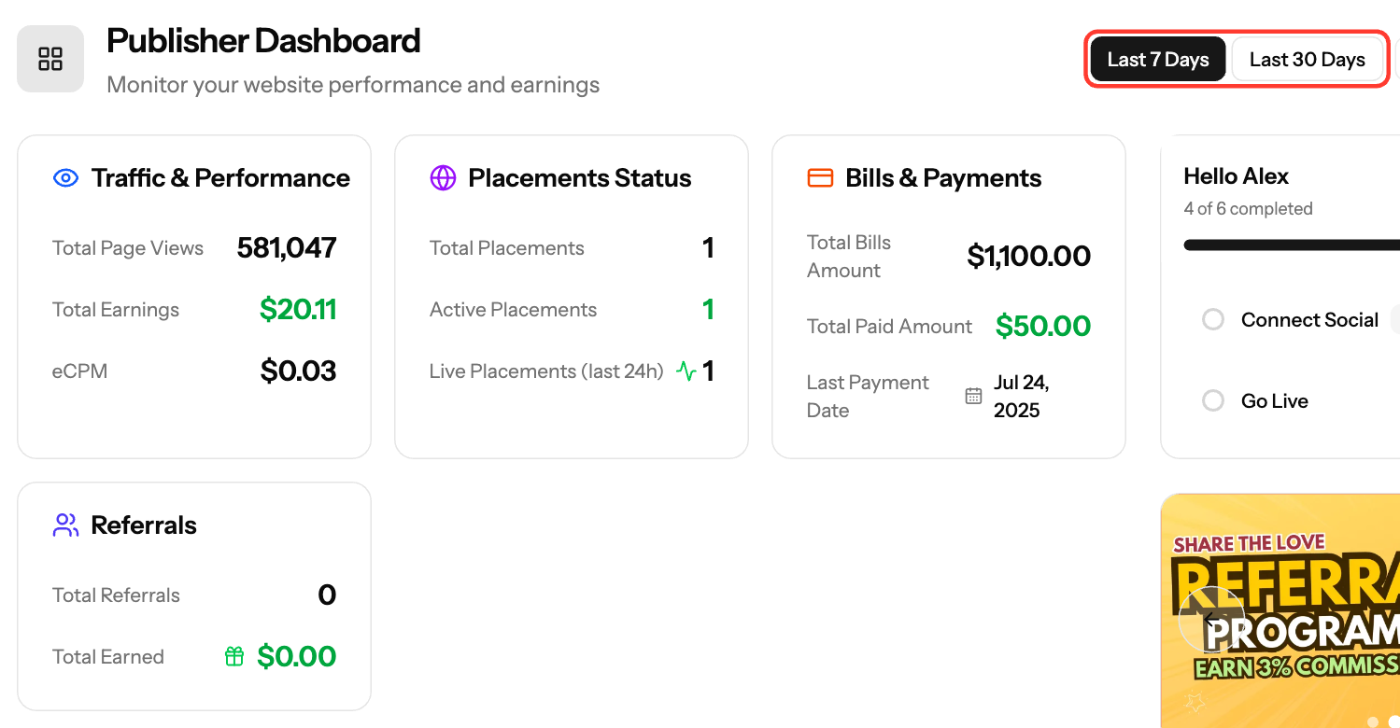
The publisher Dashboard is your home screen. It shows a summary of traffic, placements, payments and referrals for the Last 7 Days or Last 30 Days. For more detail, go to Reports.
Stats cards
- Traffic & Performance: Total Page Views, Total Earnings and eCPM
- Placements Status: Total Placements, Active Placements and Live Placements (last 24h)
- Bills & Payments: Total Bills Amount, Total Paid Amount and Last Payment Date
- Referrals: Total Referrals and Total Earned
If many placements are active but few are live in the last 24 hours, check that the ad code is on your site and the site has traffic.
Traffic & Earnings Analysis
A chart of your website performance over time. Switch it between Page Views, Clicks and Earnings.
Setup Progress
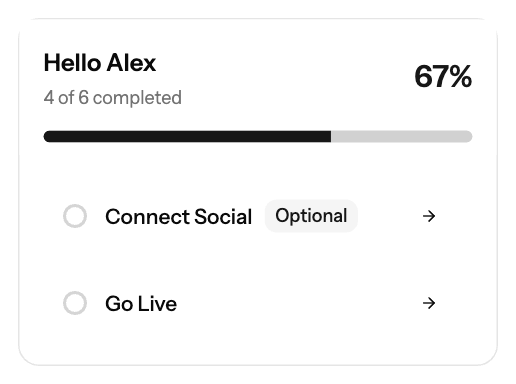
A checklist for new accounts, hidden once every step is done:
- Complete Profile
- Connect Social (optional)
- Add Payment Method
- Add Site
- Add Placement
- Go Live
The main button at the top of the page takes you to your next incomplete step.
News
The latest publisher news. Open News for the full list.
Screenshots
Related articles
- Understanding Publisher Revenue Reports
- Getting Started: Setting Up Your Publisher Account on EZmob
- Troubleshooting Ads Not Showing on Your Site
- How to Request Payment
Updated on: 01/10/2026
Thank you!