
What should I do if I can't log in or forgot my password?
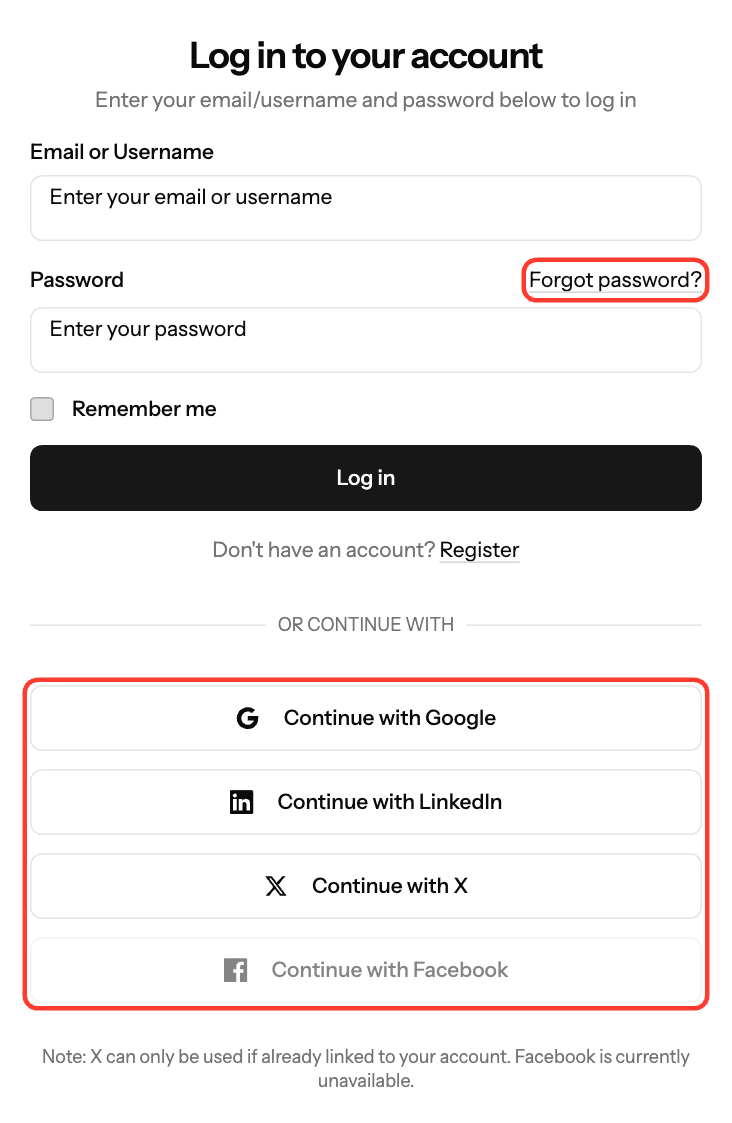
Log in at https://dashboard.ezmob.com with your Email or Username and password, or with Google, LinkedIn or X. Most login problems come from a wrong password, an unverified email or too many attempts.
Reset a forgotten password
- On the login page, click Forgot password?
- Enter your Email address and click Email password reset link.
- Open the email, enter a new password twice and click Reset password.
Change your password
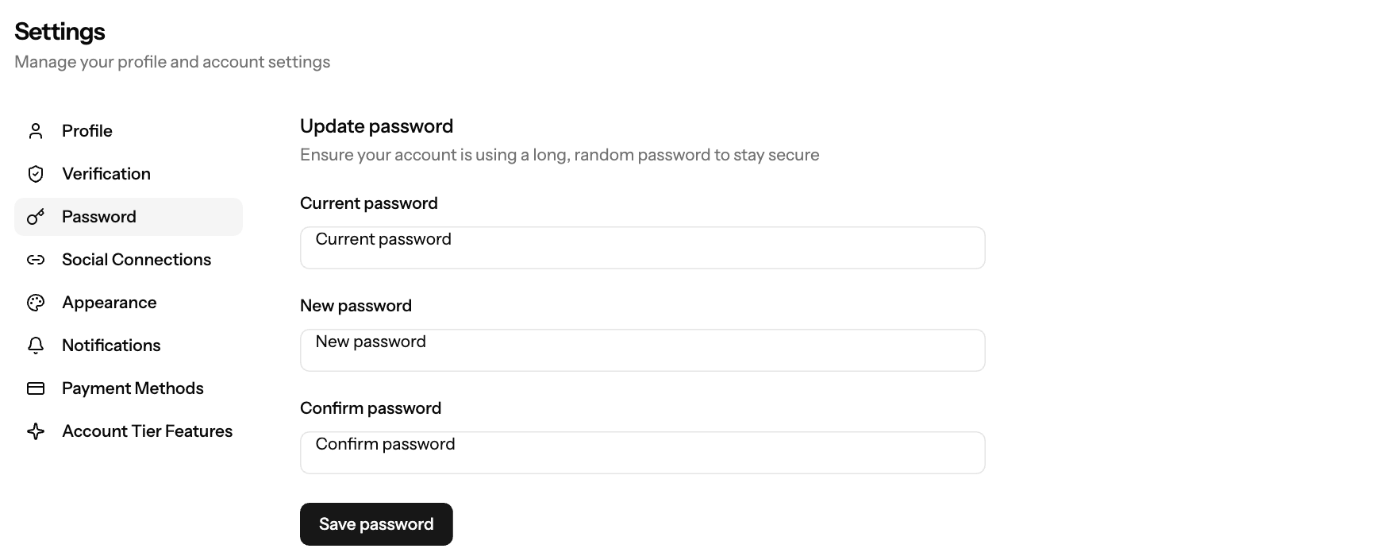
- Click your profile at the top right and select Settings.
- Open Password.
- Enter your Current password, New password and Confirm password.
- Click Save password.
Signed up with Google or LinkedIn? Use Set Password on the same page to add a password.
Common login messages
Message | What to do |
|---|---|
"These credentials do not match our records." | Check your email or username and password (case-sensitive), or reset your password. |
"Please verify your email address to complete your login." | Click the link in the verification email. Check spam, or request a new one. |
"Too many login attempts. Please try again in … seconds." | Wait, then try again. |
"No EZdash account is linked to this … profile." | Log in with email and password, then link the account under Settings → Social Connections. |
"Your account has been suspended." | Contact support. |
Browser checks
- Turn off ad blockers for dashboard.ezmob.com.
- Allow JavaScript and cookies.
- Clear your cache and cookies, or try another browser.
Still stuck? Email support@ezmob.com with the exact error message.
Screenshots
Related articles
Updated on: 27/09/2026
Thank you!