
Account Registration
Create an EZmob account at https://dashboard.ezmob.com as an Advertiser or a Publisher, then verify your email address before you log in.
Register with email
- Open the registration page for your role:
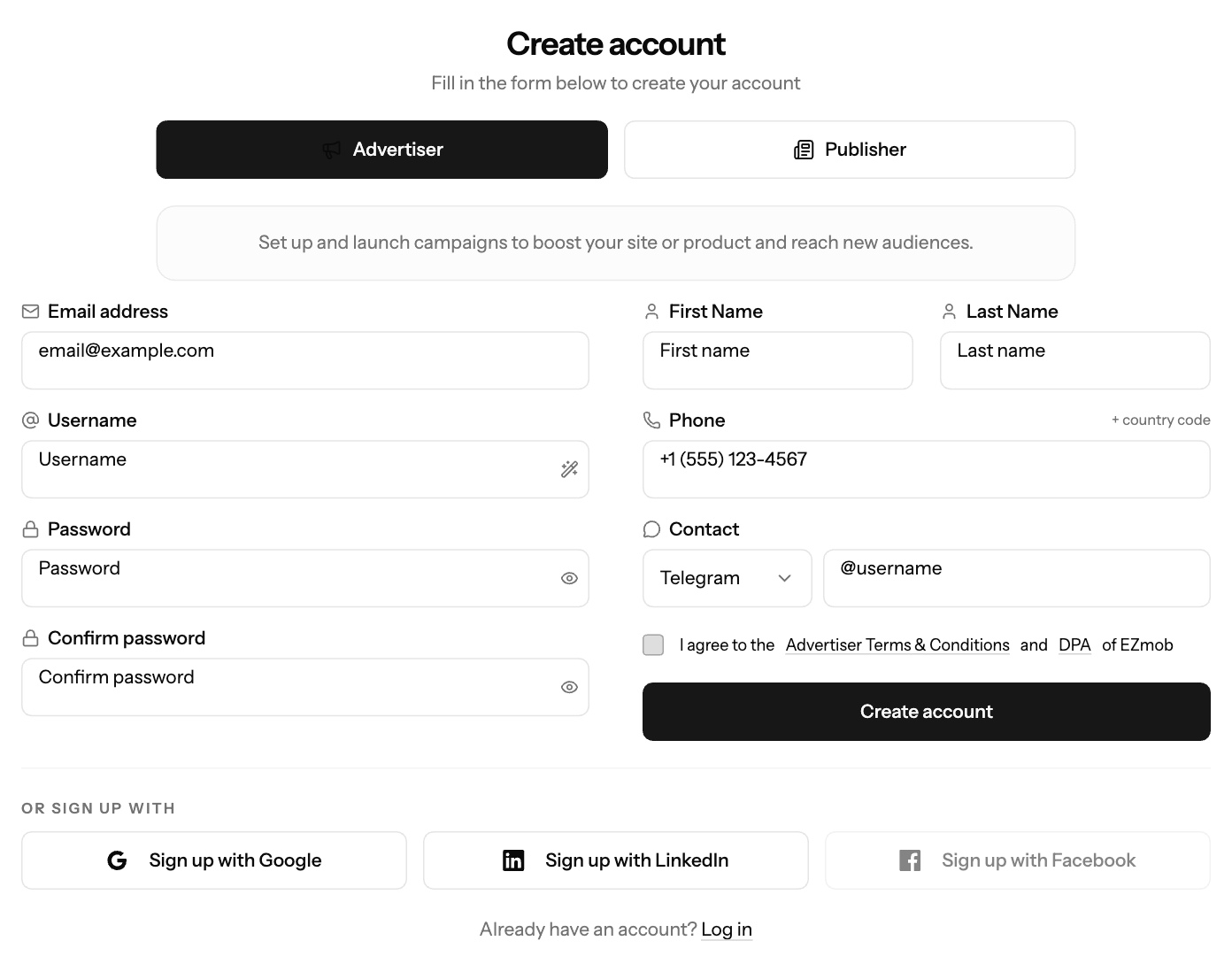
- At the top of the form, check that Advertiser or Publisher is selected.
- Enter your Email address, Username, Password and Confirm password.
- Enter your First Name, Last Name, Phone (with country code) and a Contact handle (Telegram or Teams).
- Accept the terms and click Create account.
- Open the verification email and click the link. It expires in 24 hours.
No email? Check your spam folder, or click Resend Verification Email on the verification page.
Register with Google or LinkedIn
- On the registration page, under Or sign up with, click Sign up with Google or Sign up with LinkedIn.
- Sign in to that account and approve access.
- Complete the remaining registration details.
Facebook sign-up is not available yet. X can only be used to log in after you link it to an existing account.
Screenshots
Related articles
- Getting Started: Setting Up Your Publisher Account on EZmob
- Complete Your Advertiser Profile - Step by Step Guide
- Connecting Social Accounts for Quick Login
- What should I do if I can't log in or forgot my password?
Updated on: 27/09/2026
Thank you!